> ## Documentation Index
> Fetch the complete documentation index at: https://docs.haloxlabs.ai/llms.txt
> Use this file to discover all available pages before exploring further.
# Lite mode and Pro mode: HaloX workspace structure
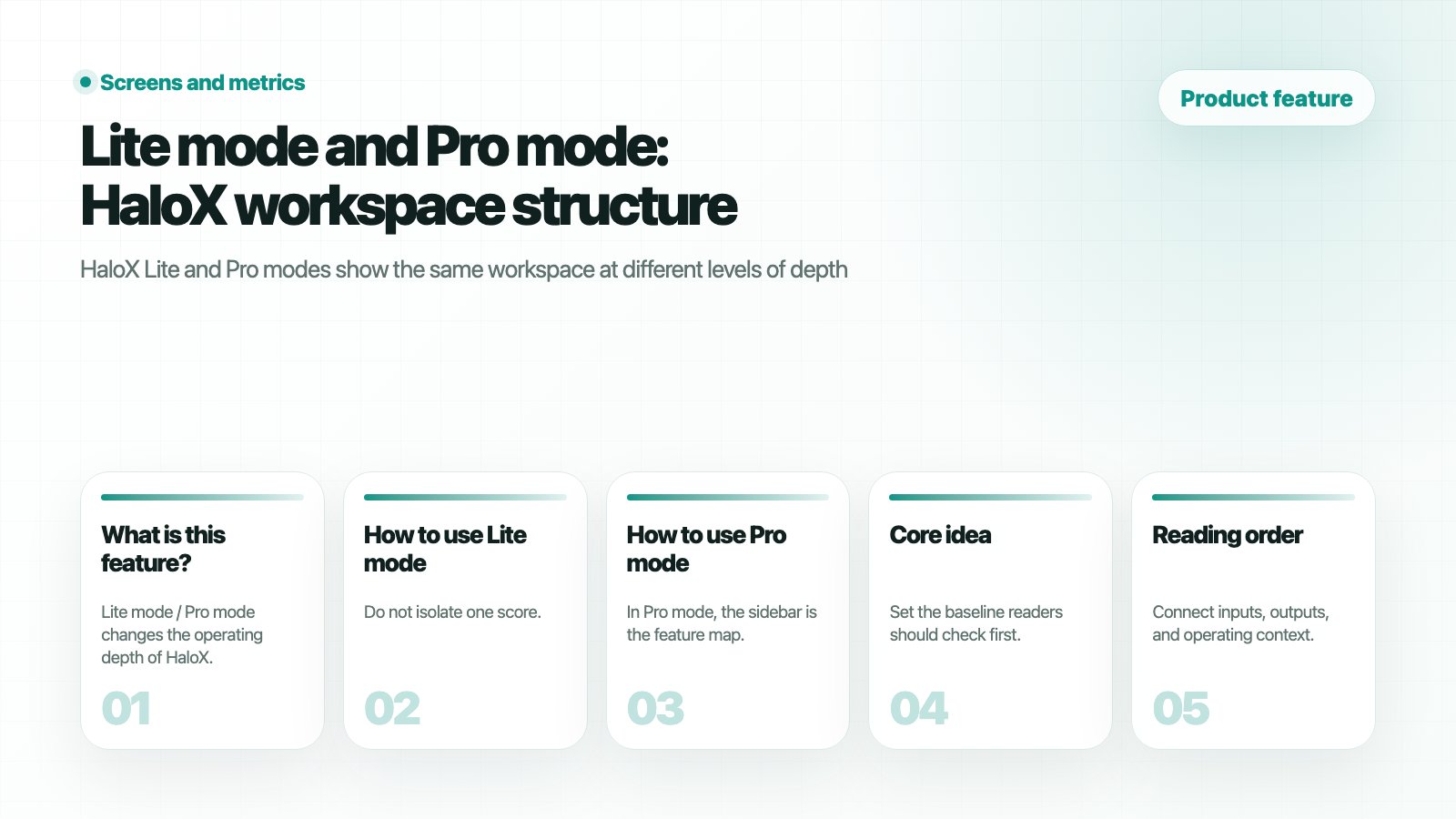
> HaloX Lite and Pro modes show the same workspace at different levels of depth. Lite supports fast decisions, while Pro exposes sidebar features for detailed analysis and execution workflows.
 ## What is this feature?
**Lite mode / Pro mode** changes the operating depth of HaloX. Lite mode helps teams read current state and next actions quickly. Pro mode opens the sidebar workflow so teams can diagnose causes and move into execution screens.
## What is this feature?
**Lite mode / Pro mode** changes the operating depth of HaloX. Lite mode helps teams read current state and next actions quickly. Pro mode opens the sidebar workflow so teams can diagnose causes and move into execution screens.
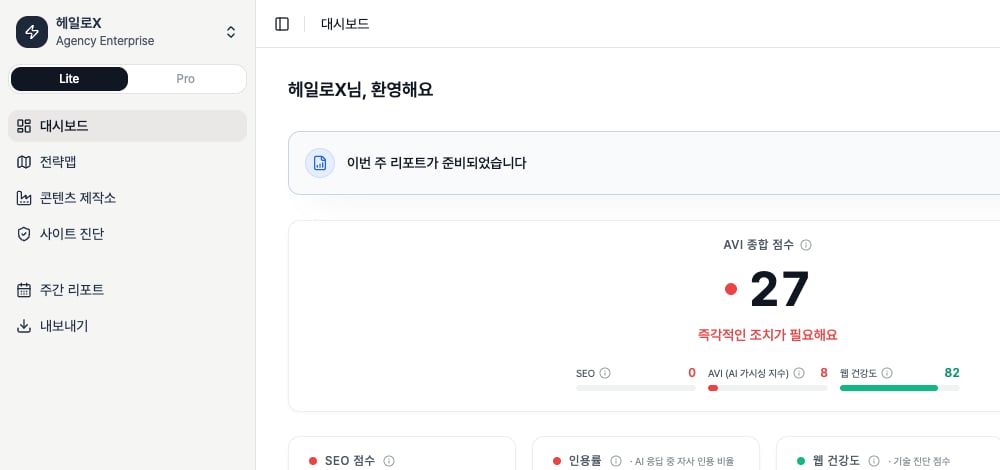 *The Lite-active HaloX dashboard shows the first-read KPI layer with the AVI score, core KPI context, and the default menu without the previous awkward right-edge crop.*
Lite mode keeps the surface short for quick reading. When you need to investigate causes, click `Pro` in the same sidebar area to open the full menu structure.
*The Lite-active HaloX dashboard shows the first-read KPI layer with the AVI score, core KPI context, and the default menu without the previous awkward right-edge crop.*
Lite mode keeps the surface short for quick reading. When you need to investigate causes, click `Pro` in the same sidebar area to open the full menu structure.
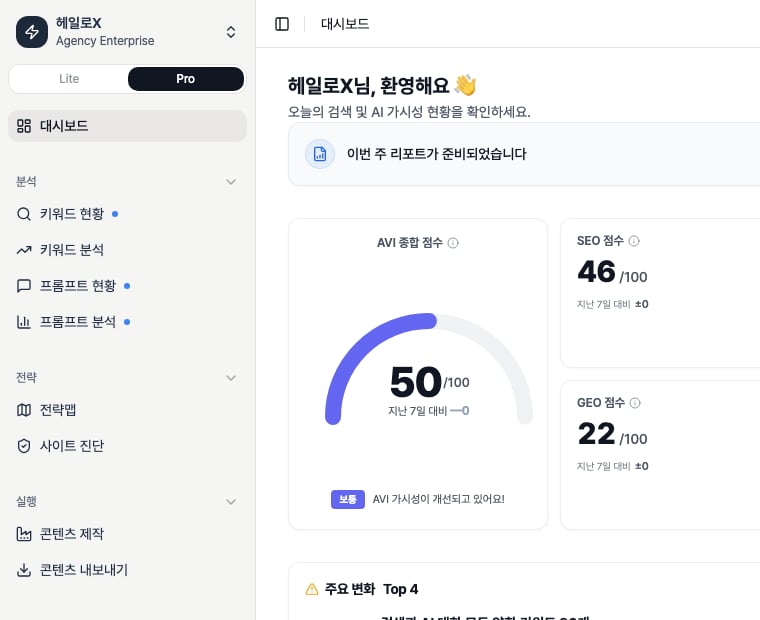 *HaloX Pro mode dashboard with the Pro button active. Use the expanded sidebar to separate causes from next actions.*
> Screenshot rule: do not document only the top of the app. Lower cards, lower sidebar areas, and tab interiors often contain the feature detail, so scrolled screenshots should be used when they explain the product better.
## How Lite mode differs from Pro mode
| Area | Lite mode | Pro mode |
| ------------- | ----------------------------------------------------------------------------------------------- | ------------------------------------------------------------------------------------------------- |
| Purpose | Fast status reading and execution start | Root-cause analysis, ownership, and repeatable operations |
| Depth | Dashboard
*HaloX Pro mode dashboard with the Pro button active. Use the expanded sidebar to separate causes from next actions.*
> Screenshot rule: do not document only the top of the app. Lower cards, lower sidebar areas, and tab interiors often contain the feature detail, so scrolled screenshots should be used when they explain the product better.
## How Lite mode differs from Pro mode
| Area | Lite mode | Pro mode |
| ------------- | ----------------------------------------------------------------------------------------------- | ------------------------------------------------------------------------------------------------- |
| Purpose | Fast status reading and execution start | Root-cause analysis, ownership, and repeatable operations |
| Depth | Dashboard
Strategy Map
Content Factory
Site Audit
Weekly Report
Export | Segmented analysis
strategy
execution
monitoring
and workspace management |
| Best for | Executives, client meetings, new users | SEO/GEO operators
content teams
consultants
agencies |
| Main question | “What is the problem now?” | “Which question
keyword
source
page
or content item caused it?” |
| Output | Priority summary, one-page diagnosis, quick report | Content briefs
technical tickets
prompt sets
weekly reports
exported datasets |
## How to use Lite mode
Do not isolate one score. Read AI answer signals and the search foundation together.
Lower cards such as SEO score, citation rate, web health, and traffic summary often explain the next action.
Send each issue to the one feature that owns the next action.
## How to use Pro mode
In Pro mode, the sidebar is the feature map. Each menu is a step in the `analysis → strategy → execution → monitoring → misc` loop.
| Pro area | Features | Operating question | Next guide |
| ---------- | ---------------------------------------------------------------------------- | ------------------------------------------------------- | ---------------------------------------------------------------------------------------------------------------- |
| Analysis | Keyword Status
Keyword Analysis
Prompt Status
Prompt Analysis | Where are we weak across search terms and AI questions? | [Reading scores](/en/guides/reading-scores), [AI search rank tracking](/en/guides/ai-search-rank-tracking) |
| Strategy | Strategy Map
Site Audit | Which cluster or page should we fix first? | [First site audit](/en/guides/first-site-audit)
[Content brief template](/en/guides/content-brief-template) |
| Execution | Content Factory
Content Export | Which content and deliverables should we create? | [Creating content](/en/guides/creating-content)
[Exporting content](/en/guides/exporting-content) |
| Monitoring | Monitoring Dashboard
Weekly Report | Are the signals improving? | [Reports](/en/guides/reports)
[GEO report example](/en/guides/geo-report-example) |
| Misc | Personas
Evidence Library | Which tone and product facts should guide output? | [Source trust checklist](/en/guides/source-trust-checklist) |
## Which mode should you start with?
| Situation | Recommended mode | Why |
| ------------------------- | ---------------- | -------------------------------------------------------------------------------- |
| Before a client meeting | Lite | It explains status and report actions quickly. |
| Weekly operator meeting | Pro | Operators need to assign work by keyword
prompt
site
and content. |
| New workspace onboarding | Lite → Pro | Read the overview first, then inspect causes in Pro. |
| Before content production | Pro | Strategy, evidence, and content-writing tabs should be checked together. |
## FAQ
### Is Pro mode always better?
No. Lite is for faster decisions. Pro is for deeper root-cause work. Use Lite in meetings and Pro in execution reviews.
### Should docs include scrolled screenshots?
Yes. Many HaloX details live in lower cards, tab interiors, and detail panels. Scrolled screenshots are part of the product explanation when they clarify the workflow.
## Related features
Read each Pro menu as an operating feature.
See where each feature fits in the product loop.
Use list, network, and matrix views.
Use Overview, Issues, Pages, SEO, and GEO tabs.
## How mode switching works
| Item | Meaning | Basis |
| ------------ | ------------------------------------------------ | -------------------------------------------------------------------------------------------------------- |
| Lite | Default mode for quick status and next actions | Focuses on Dashboard
Strategy Map
Factory
Site Audit
Weekly Report
Exports. |
| Pro | Sidebar-driven detailed operating mode | Opens Analysis
Strategy
Execution
Monitoring
Personas
Evidence Library screens. |
| Session mode | Mode choice kept for the current browser session | Refreshing or switching workspaces can return to Lite. |
| Mode toggle | Button that switches Lite and Pro | Switching outside `/app` can navigate back to the app home. |
## Lite dashboard score definitions
| Score | What it means | Basis |
| --------------- | ------------------------------------------ | -------------------------------------------------------------------- |
| Unified Score | Summary across SEO, GEO, and Web Health | When all data exists, uses SEO 40%, GEO 30%, Web 30%. |
| SEO Score | Search ranking and SEO visibility | Combines Top 10, average rank, AIO citation, and trend. |
| GEO Score | AI-answer citation and brand visibility | Uses AVI when available; otherwise estimates from GEO citation rate. |
| Web Health | Latest site-audit health state | Based on the latest completed Site Audit. |
| Traffic Summary | Search, AI-source, and conversion movement | Summarizes GSC, GA4, and AI-source data. |
## Pro dashboard KPI definitions
| Area | KPI | Meaning |
| ------------ | ----------------------------------------------- | -------------------------------------------------------------- |
| SEO | Top 10, Avg Rank, AIO Exposure | Reads organic ranking and AI Overview exposure together. |
| GEO | Brand Citations, Citation Rate, Engine Coverage | Shows how often the brand is cited and covered across engines. |
| Insight Feed | Detected changes and issues | Turns gap, coverage, and report data into execution signals. |
| Gap Matrix | SEO/GEO gap distribution | Helps decide which topics to execute first. |
## If you need the service metric definitions
Use the [screen metrics glossary](/en/glossary/screen-metrics) when a mode-specific KPI needs a definition or decision rule.