> ## Documentation Index
> Fetch the complete documentation index at: https://docs.haloxlabs.ai/llms.txt
> Use this file to discover all available pages before exploring further.
# Monitoring Dashboard: track GSC/GA4 and HaloX signal movement
> HaloX Monitoring Dashboard uses Overview, Queries, and Pages views to connect search performance with AI visibility movement for weekly operating decisions.
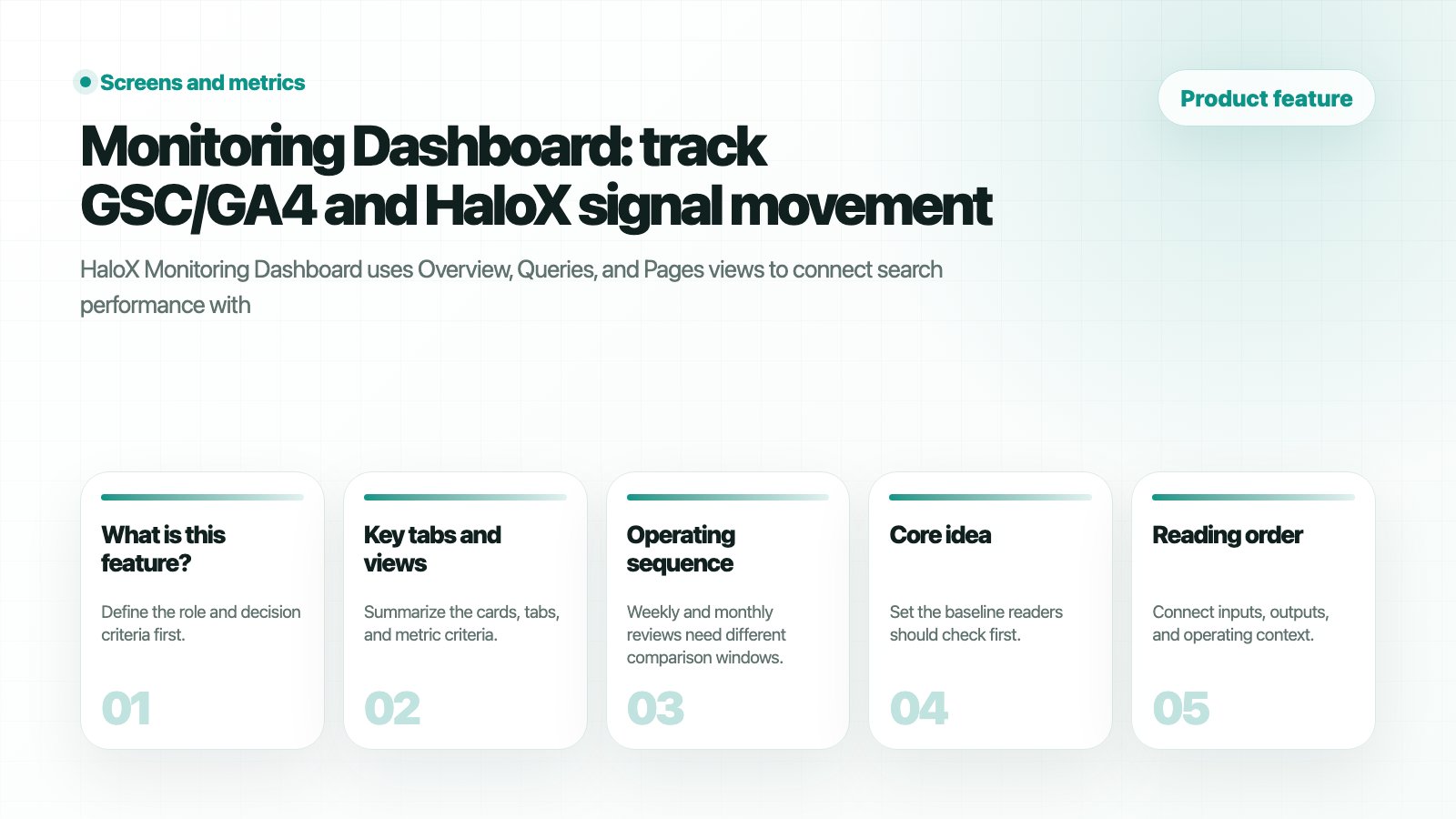 ## What is this feature?
**Monitoring Dashboard** tracks search performance and AI-source movement in Pro mode. Use it to collect the query and page evidence that later becomes a Weekly Report note.
Overview reads search performance and AI traffic after the period filter is set. This is the baseline before separating a search performance problem from an AI citation problem.
## What is this feature?
**Monitoring Dashboard** tracks search performance and AI-source movement in Pro mode. Use it to collect the query and page evidence that later becomes a Weekly Report note.
Overview reads search performance and AI traffic after the period filter is set. This is the baseline before separating a search performance problem from an AI citation problem.
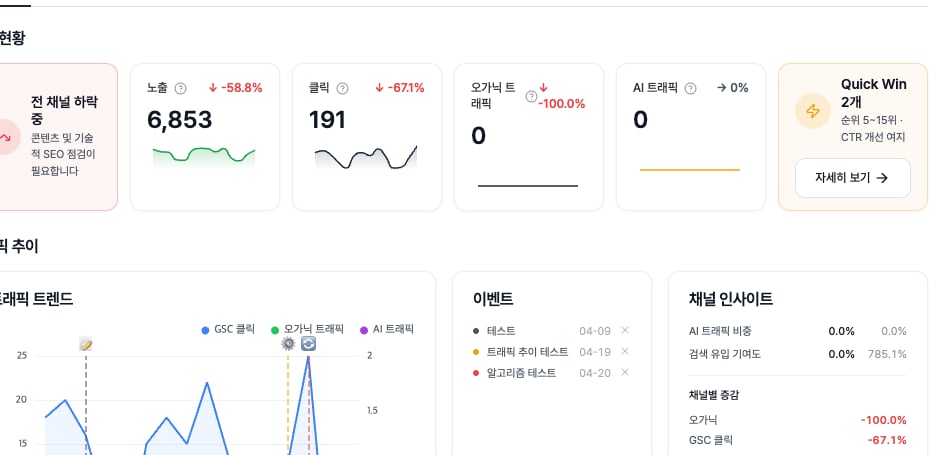 *Overview KPIs are the first baseline for weekly meetings before narrowing the cause through the Queries and Pages tabs.*
## Key tabs and views
Review AVI and search performance together. Before a meeting, write one line for what improved and one line for what is blocked.
Inspect movement by search query. Separate search-demand issues from AI-answer and source issues.
Inspect URL movement and choose the page that needs support.
Read the active tab, KPI cards, and query table as one unit. If impressions and clicks are nearly absent by query, check search demand or page visibility before treating it as a prompt issue.
*Overview KPIs are the first baseline for weekly meetings before narrowing the cause through the Queries and Pages tabs.*
## Key tabs and views
Review AVI and search performance together. Before a meeting, write one line for what improved and one line for what is blocked.
Inspect movement by search query. Separate search-demand issues from AI-answer and source issues.
Inspect URL movement and choose the page that needs support.
Read the active tab, KPI cards, and query table as one unit. If impressions and clicks are nearly absent by query, check search demand or page visibility before treating it as a prompt issue.
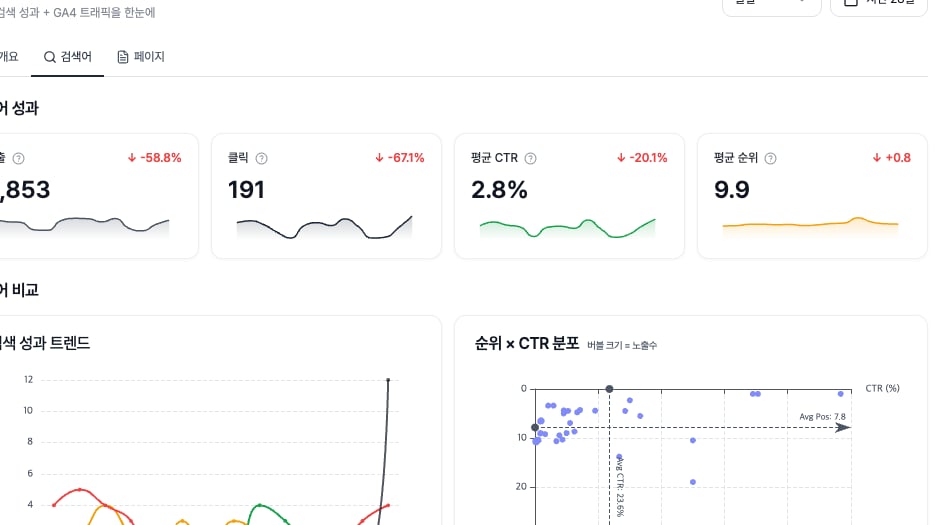 *The Queries tab provides the GSC-based demand signal before separating AI citation and source-readiness issues.*
The Pages tab reads URL-level performance with AI traffic and engagement. If a URL has search clicks but weak AI traffic or engagement, move that page into Site Audit, Content Factory, or Evidence Library work.
*The Queries tab provides the GSC-based demand signal before separating AI citation and source-readiness issues.*
The Pages tab reads URL-level performance with AI traffic and engagement. If a URL has search clicks but weak AI traffic or engagement, move that page into Site Audit, Content Factory, or Evidence Library work.
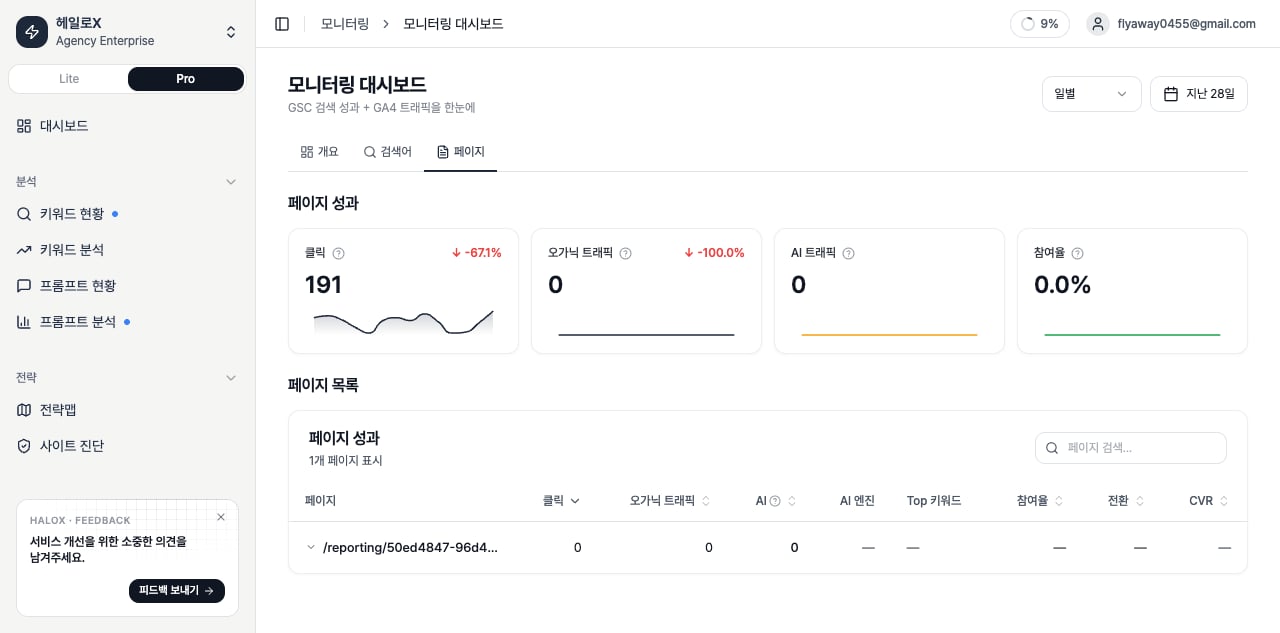 *The Pages tab turns URL-level search and AI traffic movement into a page-improvement decision. This account screenshot keeps the Pro sidebar, active Pages tab, KPI cards, page search, and URL performance table in the same context.*
## Decisions the dashboard should produce
| Decision | Where to check | Next feature |
| --------------------------------------------- | ----------------- | ---------------------------------- |
| Search traffic exists but AI citation is weak | Overview, Queries | Prompt Status, Citation Tracking |
| A page is pulling performance down | Pages | Site Audit, Content Factory |
| Week-over-week movement is large | Overview | Weekly Report |
| Client delivery needs evidence | Queries, Pages | Content Export, GEO report example |
## Operating sequence
Weekly and monthly reviews need different comparison windows.
Read AVI, SEO, citation rate, and web health together instead of isolating one score.
Decide whether the issue sits in query demand, page quality, source trust, or AI answer coverage.
Write cause-and-action statements, not raw metric lists.
## Data basis: GSC and GA4
| Data | What it means | Basis | Caution |
| ---------------- | ---------------------------------------------------- | -------------------------------------------------------- | ----------------------------------------------------------------- |
| GSC Impressions | Search-result impressions from Google Search Console | Times a query or page appeared in search results | Impression is visibility, not a visit. |
| GSC Clicks | Clicks from search results to the site | Search Console click data | It may not match GA4 sessions one-to-one. |
| CTR | Clicks divided by impressions | GSC click-through rate | If rank is high but CTR is low, review title and description fit. |
| Average Position | Average GSC search position | Lower is better | Improvement means the number moves down. |
| Organic Traffic | Organic search sessions in GA4 | Organic-channel sessions | It can differ from GSC clicks because measurement scopes differ. |
| AI Traffic | Sessions attributed to AI sources | Perplexity, ChatGPT, Claude, Gemini, and similar sources | Even small volume can matter when trend is rising. |
## Overview KPIs and channel decisions
| KPI | What it means | Basis | Example reading |
| ------------------- | ---------------------------------------------------------- | ------------------------------------------- | ------------------------------------------------------------------------ |
| AI Traffic Share | Share of organic sessions coming from AI sources | AI sessions / organic sessions × 100 | Rising share means AI answer visibility may be translating into traffic. |
| Search Contribution | GSC clicks compared with organic sessions | GSC clicks / organic sessions × 100 | It can exceed 100% because GSC and GA4 measure different scopes. |
| Channel Delta | Change by channel compared with previous period | Current period versus comparison period | Separate SEO decline from AI-source growth. |
| Quick Win | Query ranking 5-15, at least 100 impressions, CTR below 5% | Has rank and demand, but weak click-through | Improve title, meta description, and intent alignment first. |
## Queries and Pages tab metrics
| Tab | Metric | Meaning | Next action |
| ------- | ------------------------------------------ | ---------------------------------------------------- | --------------------------------------------------- |
| Queries | Clicks, impressions, CTR, average position | Query-level search performance | Separate Quick Wins and declining queries. |
| Queries | Position × CTR scatter | Click efficiency against ranking | Find high-rank, low-CTR queries. |
| Pages | Organic Traffic and AI Traffic | Page-level search and AI-source traffic | Connect AI-traffic pages to citation tracking. |
| Pages | Engagement | Organic engaged sessions divided by organic sessions | A quality signal after the visit. |
| Pages | CVR | Conversions divided by organic plus AI sessions | Identify pages where visibility becomes conversion. |
| Pages | AI Engine Share | AI sessions split by engine | Check whether traffic depends on one engine. |
## If you need the service metric definitions
Use the [screen metrics glossary](/en/glossary/screen-metrics) when a Monitoring KPI needs a definition or screen-level decision rule.
## Related docs
Turn monitoring evidence into report language.
Go deeper into queries and pages.
Translate metrics into meeting language.
Package client-ready reports.
*The Pages tab turns URL-level search and AI traffic movement into a page-improvement decision. This account screenshot keeps the Pro sidebar, active Pages tab, KPI cards, page search, and URL performance table in the same context.*
## Decisions the dashboard should produce
| Decision | Where to check | Next feature |
| --------------------------------------------- | ----------------- | ---------------------------------- |
| Search traffic exists but AI citation is weak | Overview, Queries | Prompt Status, Citation Tracking |
| A page is pulling performance down | Pages | Site Audit, Content Factory |
| Week-over-week movement is large | Overview | Weekly Report |
| Client delivery needs evidence | Queries, Pages | Content Export, GEO report example |
## Operating sequence
Weekly and monthly reviews need different comparison windows.
Read AVI, SEO, citation rate, and web health together instead of isolating one score.
Decide whether the issue sits in query demand, page quality, source trust, or AI answer coverage.
Write cause-and-action statements, not raw metric lists.
## Data basis: GSC and GA4
| Data | What it means | Basis | Caution |
| ---------------- | ---------------------------------------------------- | -------------------------------------------------------- | ----------------------------------------------------------------- |
| GSC Impressions | Search-result impressions from Google Search Console | Times a query or page appeared in search results | Impression is visibility, not a visit. |
| GSC Clicks | Clicks from search results to the site | Search Console click data | It may not match GA4 sessions one-to-one. |
| CTR | Clicks divided by impressions | GSC click-through rate | If rank is high but CTR is low, review title and description fit. |
| Average Position | Average GSC search position | Lower is better | Improvement means the number moves down. |
| Organic Traffic | Organic search sessions in GA4 | Organic-channel sessions | It can differ from GSC clicks because measurement scopes differ. |
| AI Traffic | Sessions attributed to AI sources | Perplexity, ChatGPT, Claude, Gemini, and similar sources | Even small volume can matter when trend is rising. |
## Overview KPIs and channel decisions
| KPI | What it means | Basis | Example reading |
| ------------------- | ---------------------------------------------------------- | ------------------------------------------- | ------------------------------------------------------------------------ |
| AI Traffic Share | Share of organic sessions coming from AI sources | AI sessions / organic sessions × 100 | Rising share means AI answer visibility may be translating into traffic. |
| Search Contribution | GSC clicks compared with organic sessions | GSC clicks / organic sessions × 100 | It can exceed 100% because GSC and GA4 measure different scopes. |
| Channel Delta | Change by channel compared with previous period | Current period versus comparison period | Separate SEO decline from AI-source growth. |
| Quick Win | Query ranking 5-15, at least 100 impressions, CTR below 5% | Has rank and demand, but weak click-through | Improve title, meta description, and intent alignment first. |
## Queries and Pages tab metrics
| Tab | Metric | Meaning | Next action |
| ------- | ------------------------------------------ | ---------------------------------------------------- | --------------------------------------------------- |
| Queries | Clicks, impressions, CTR, average position | Query-level search performance | Separate Quick Wins and declining queries. |
| Queries | Position × CTR scatter | Click efficiency against ranking | Find high-rank, low-CTR queries. |
| Pages | Organic Traffic and AI Traffic | Page-level search and AI-source traffic | Connect AI-traffic pages to citation tracking. |
| Pages | Engagement | Organic engaged sessions divided by organic sessions | A quality signal after the visit. |
| Pages | CVR | Conversions divided by organic plus AI sessions | Identify pages where visibility becomes conversion. |
| Pages | AI Engine Share | AI sessions split by engine | Check whether traffic depends on one engine. |
## If you need the service metric definitions
Use the [screen metrics glossary](/en/glossary/screen-metrics) when a Monitoring KPI needs a definition or screen-level decision rule.
## Related docs
Turn monitoring evidence into report language.
Go deeper into queries and pages.
Translate metrics into meeting language.
Package client-ready reports.