> ## Documentation Index
> Fetch the complete documentation index at: https://docs.haloxlabs.ai/llms.txt
> Use this file to discover all available pages before exploring further.
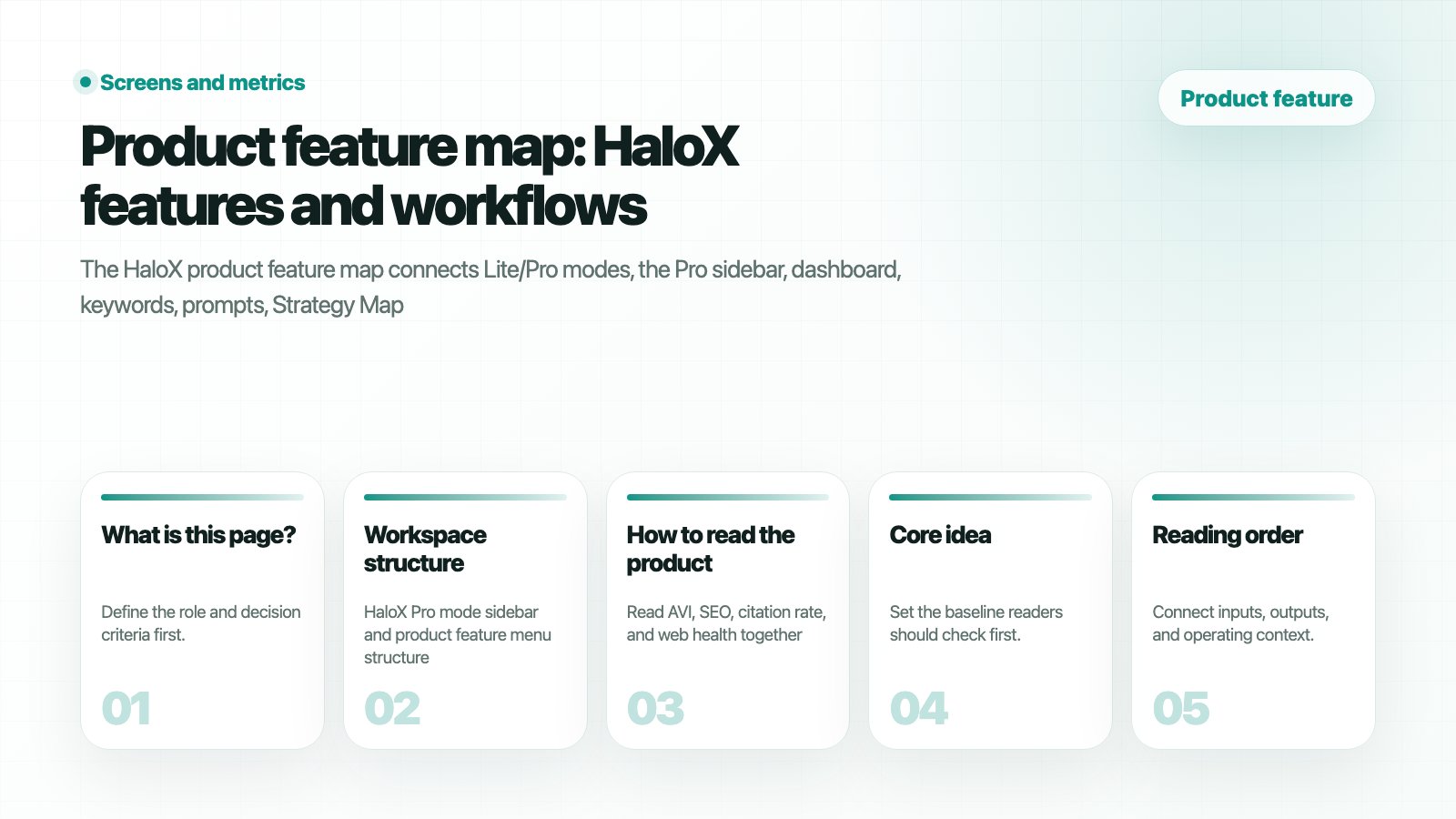
# Product feature map: HaloX features and workflows
> The HaloX product feature map shows how Lite and Pro mode connect diagnosis, measurement, strategy, execution, and reporting.
 ## What is this page?
The **Product feature map** connects HaloX features through the `diagnose → measure → strategize → execute → report` loop. Start with workspace mode, then move into sidebar menus and feature tabs. Read AVI and SEO together before deciding whether the issue belongs to search visibility or GEO execution.
## Workspace structure
## What is this page?
The **Product feature map** connects HaloX features through the `diagnose → measure → strategize → execute → report` loop. Start with workspace mode, then move into sidebar menus and feature tabs. Read AVI and SEO together before deciding whether the issue belongs to search visibility or GEO execution.
## Workspace structure
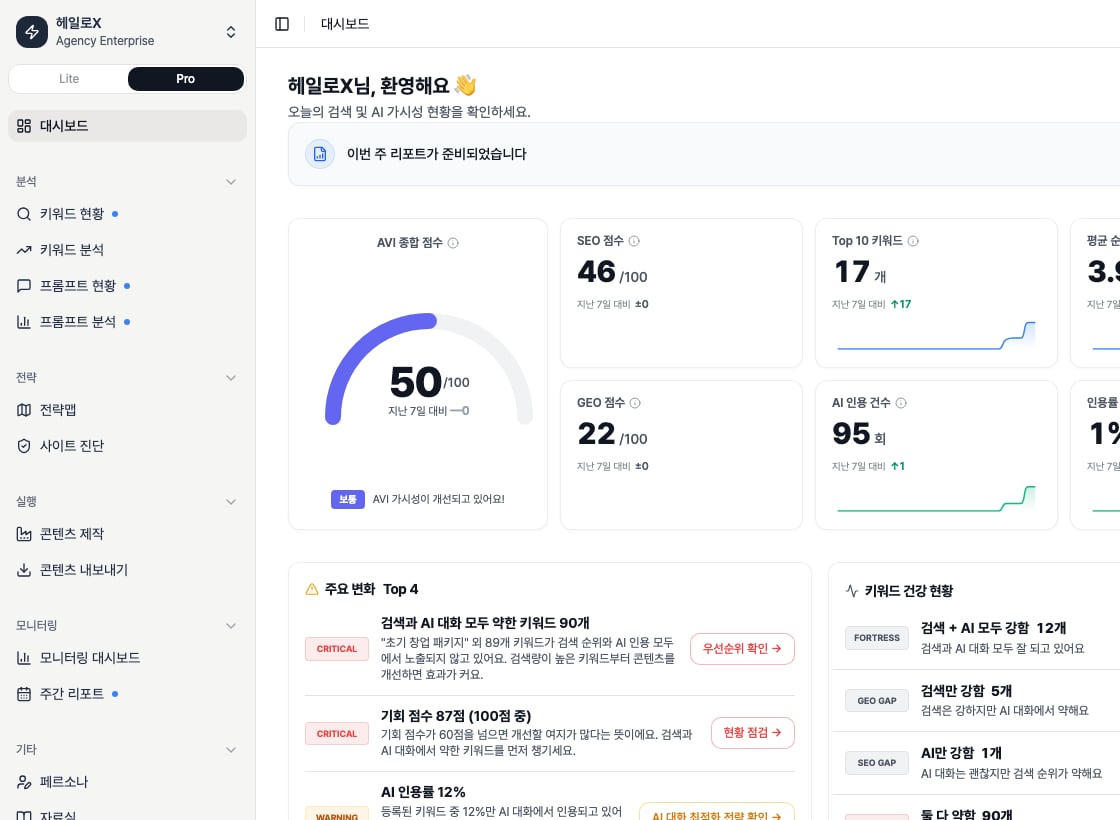 *This is the actual app sidebar with Pro active. The product feature map uses this menu structure to connect each feature doc.*
| Structure | Meaning | What to inspect |
| ----------------- | -------------------------------------------------- | ----------------------------------------------------------------------------------------------------- |
| Lite mode | Fast status reading and next-action selection | Dashboard cards
*This is the actual app sidebar with Pro active. The product feature map uses this menu structure to connect each feature doc.*
| Structure | Meaning | What to inspect |
| ----------------- | -------------------------------------------------- | ----------------------------------------------------------------------------------------------------- |
| Lite mode | Fast status reading and next-action selection | Dashboard cards
Strategy Map
Content Factory
Site Audit
Weekly Report
Export |
| Pro mode | Detailed root-cause operation by feature | Analysis
Strategy
Execution
Monitoring
Misc sidebar menus |
| Tabs/views | Different views inside one feature | List/network/matrix, Overview/Issues/Pages/SEO/GEO, strategy/content/evidence |
| Lower scroll area | Operational signals that may not appear at the top | Lower card metrics
detail panels
CTAs
guide links |
## Pro sidebar feature list
| Area | Features | Role |
| ---------- | ---------------------------------------------------------------------------- | -------------------------------------------------------------- |
| Analysis | Keyword Status
Keyword Analysis
Prompt Status
Prompt Analysis | Find weaknesses across search terms and AI questions. |
| Strategy | Strategy Map, Site Audit | Select priority clusters and technical or AI-readiness issues. |
| Execution | Content Factory, Content Export | Turn strategy into content and deliverables. |
| Monitoring | Monitoring Dashboard, Weekly Report | Confirm improvement and create reporting language. |
| Misc | Personas, Evidence Library | Manage tone, product facts, and evidence context. |
## Detailed feature docs
Compare mode roles, starting contexts, and screenshot rules.
Read each sidebar menu as a product feature.
Understand AVI, SEO, citation rate, and web health cards.
Read AVI through score, source, and web-health signals.
Use list and network views for keyword opportunities.
Turn question groups into content work units.
Manage question sets and mention/source/citation status.
Interpret AI answer and competitive patterns.
Find source gaps and competitor citations in AI answers.
Prioritize clusters and opportunities.
Use Overview, Issues, Pages, SEO, and GEO tabs.
Use strategy analysis, writing, and evidence tabs.
Track GSC/GA4 and HaloX signal changes.
Separate GSC/GA4 query and page causes.
Create meeting narratives and next actions.
Package client-ready deliverables.
Manage content tone and role standards.
Manage product, topic, and source evidence.
## How to read the product
Read AVI, SEO, citation rate, and web health together, including lower dashboard cards.
Decide whether the cause lives in keywords, prompts, site issues, clusters, content, or reports.
Each tab produces a different decision. Site Audit, for example, must be read through Overview, Issues, Pages, SEO, and GEO tabs.
Feature reading should lead to one next output.
## Related guides and glossary
Follow the first 30-minute operating path.
Turn metrics into meeting language.
Turn feature signals into production instructions.
Understand GEO, AVI, citation rate, and source visibility.
## Core KPIs on the overview screen
| KPI | What it means | Basis |
| --------------- | ---------------------------------------------- | -------------------------------------------------------------------- |
| Unified Score | Combined state across SEO, GEO, and Web Health | When all data exists, uses SEO 40%, GEO 30%, Web 30%. |
| SEO Score | Search ranking and visibility state | Reads Top 10, average rank, AIO citation, and trend together. |
| GEO Score / AVI | Brand mention and citation state in AI answers | Uses AVI when available; otherwise estimates from GEO citation rate. |
| Web Health | Latest site-audit health state | Based on the latest completed Site Audit. |
| Top 10 | First-page keyword count | Brand best rank is 10 or lower. |
| AIO Exposure | AI Overview citation exposure | Checks brand citation among AIO-detected keywords. |
| Traffic Summary | Search, AI-source, and conversion summary | Combines GSC, GA4, and AI-source data. |
## What changes between Lite and Pro
| Mode | Screen layout | When to use it |
| ------------------------- | ---------------------------------------------------------------------------------- | ---------------------------------------------------------------- |
| Lite | Score Hero, main cards, Priority Actions, Trends | To read current state and next actions quickly before a meeting. |
| Pro | Hero Statement
SEO/GEO panel
Insight Feed
Gap Matrix
Quick Nav | To diagnose causes and jump into execution screens. |
| Date range / Granularity | Date scope and aggregation level | Compare metrics only when the data scope matches. |
| Banners / status messages | New report, strategy state, keyword expansion prompts | Treat top dashboard messages as this week's action candidates. |
## When to open detailed feature docs
| Signal on overview | Open this doc |
| -------------------------------------- | ---------------------------------------------------- |
| Keyword rank or Top 10 issue | Keyword Status or Keyword Analysis |
| AI citation or prompt issue | Prompt Status, Prompt Analysis, or Citation Tracking |
| Gap Matrix shows risk | Strategy Map or Content Factory |
| Web Health is low | Site Audit |
| Traffic or conversion trend is unusual | Monitoring Dashboard or Weekly Report |
## If you need the service metric definitions
Use the [screen metrics glossary](/en/glossary/screen-metrics) when a KPI needs a plain-language definition or screen-level decision rule.