> ## Documentation Index
> Fetch the complete documentation index at: https://docs.haloxlabs.ai/llms.txt
> Use this file to discover all available pages before exploring further.
# HaloX operating guides: task-based paths
> Choose the right HaloX guide for onboarding, site diagnosis, data readiness, content execution, reports, and engine-specific AI search workflows.
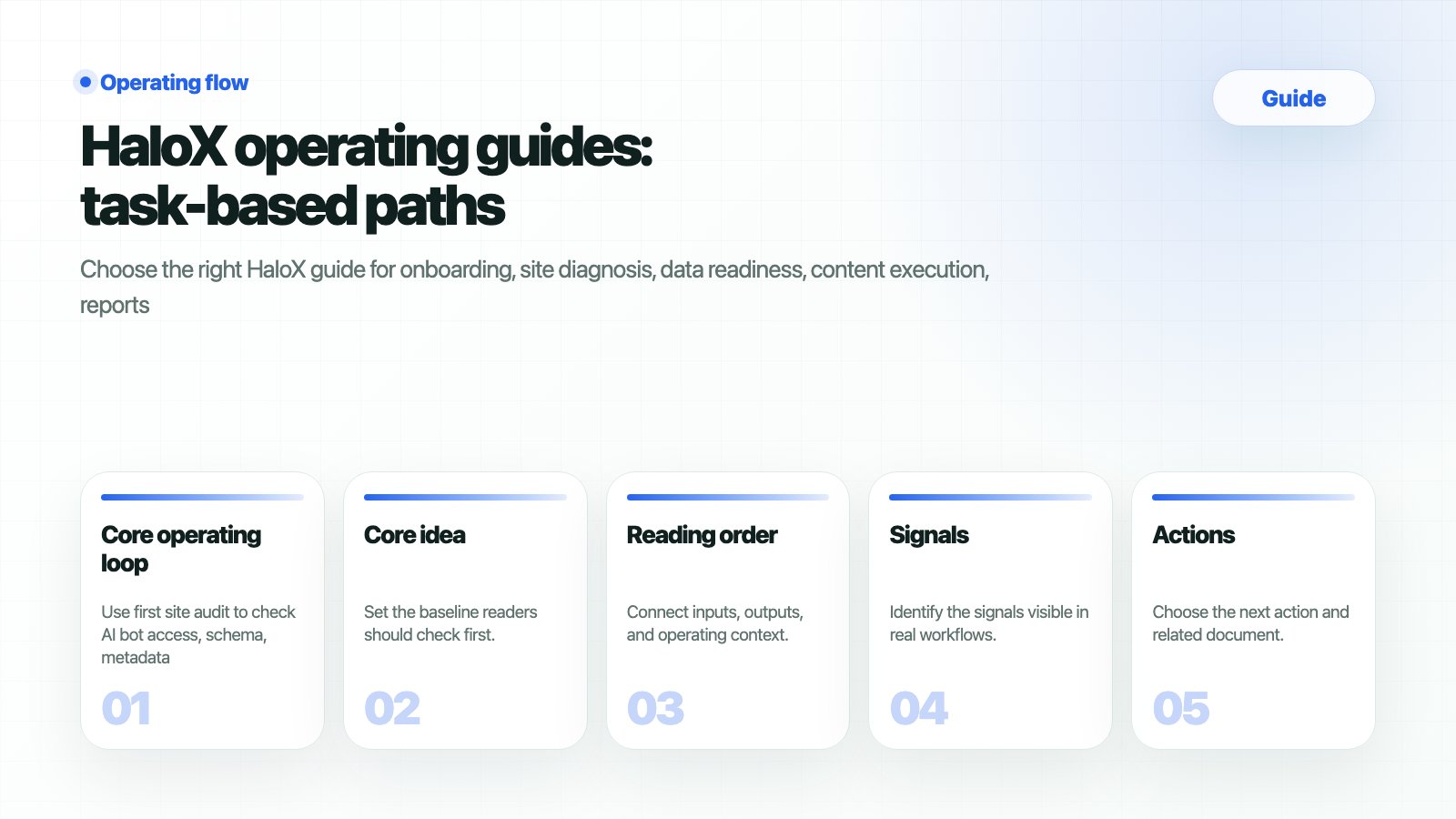 Guides are not a repeat of feature descriptions. They help you choose **which HaloX pages to use, in which order, to finish the current task**.
## Choose your task first
| Task | Start with | Output |
| ----------------------------- | --------------------------------------------------------------- | ----------------------------------------------- |
| First setup | [Onboarding](/en/guides/onboarding) | Workspace, site, first baseline |
| Adoption decision | [Adoption planning](/en/introduction/plans) | Team-specific starting scope |
| Data and access readiness | [Data readiness checklist](/en/guides/data-readiness-checklist) | GSC
Guides are not a repeat of feature descriptions. They help you choose **which HaloX pages to use, in which order, to finish the current task**.
## Choose your task first
| Task | Start with | Output |
| ----------------------------- | --------------------------------------------------------------- | ----------------------------------------------- |
| First setup | [Onboarding](/en/guides/onboarding) | Workspace, site, first baseline |
| Adoption decision | [Adoption planning](/en/introduction/plans) | Team-specific starting scope |
| Data and access readiness | [Data readiness checklist](/en/guides/data-readiness-checklist) | GSC
GA4
question set
site access |
| Technical baseline | [First site audit](/en/guides/first-site-audit) | AI access, web health, important issues |
| Score explanation | [Reading scores](/en/guides/reading-scores) | Meeting-ready interpretation and next action |
| Content execution | [Content brief template](/en/guides/content-brief-template) | Content brief, FAQ, comparison table |
| Client or executive reporting | [GEO report example](/en/guides/geo-report-example) | Change summary, risks, owners |
| Client proposal | [Client proposal template](/en/guides/client-proposal-template) | Proposal language and operating loop |
## Core operating loop
Use first site audit to check AI bot access, schema, metadata, web health, and important issues.
Use reading scores to translate AVI, citation rate, source visibility, and web health into meeting language.
Use data readiness and source trust checklists to organize access, URLs, question sets, and citation candidates.
Use the content brief template and exporting guides to create citation-ready outputs.
Use the GEO report example to record changes, causes, risks, and owners.
## Read by the product loop
Use the guide hub through the HaloX operating loop: diagnose → measure → strategize → execute → report. Each step maps back to an actual app surface in the sidebar.
Use Site Audit to inspect AI accessibility, SEO/GEO scores, and URL-level issues.
Use the GEO dashboard and AVI to read the current visibility baseline.
Use Strategy Map to choose clusters, matrix positions, and priority work.
Use Content Factory and evidence inputs to create citation-ready outputs.
Use Monitoring and Weekly Report to record changes, causes, and next actions.
## Execution hubs
Enter the primary URL and target prompts to create the AI visibility baseline.
Workspace, site setup, and first diagnosis for new teams.
GSC, GA4, question sets, source candidates, and citation trust criteria.
Use report, content brief, and proposal templates immediately.
Execute rank tracking, brand mentions, citations, and AI Overview work.
Turn AI visibility diagnosis and ChatGPT brand mention checks into conversion paths.
## Feature-to-guide paths
| App feature | Read the feature doc first | Continue with this guide |
| ---------------------- | ----------------------------------------------------------------------------------------------------------------------------------------------------- | -------------------------------------------------------------------------------------------------------------------------- |
| Lite/Pro modes | [Lite and Pro modes](/en/features/lite-pro-modes) | [Quickstart](/en/introduction/quickstart), [Reading scores](/en/guides/reading-scores) |
| Pro sidebar | [Pro sidebar feature map](/en/features/pro-sidebar-workflows) | [AI search optimization checklist](/en/guides/ai-search-optimization-checklist) |
| Keyword Status | [Keyword Status](/en/features/keyword-status) | [AI search rank tracking](/en/guides/ai-search-rank-tracking), [Content brief template](/en/guides/content-brief-template) |
| Strategy Map | [Strategy Map](/en/features/strategy-map) | [Content brief template](/en/guides/content-brief-template) |
| Site Audit | [Site Audit](/en/features/site-audit) | [First site audit](/en/guides/first-site-audit), [Source trust checklist](/en/guides/source-trust-checklist) |
| Content Factory | [Content Factory](/en/features/content-factory) | [Creating content](/en/guides/creating-content), [Exporting content](/en/guides/exporting-content) |
| Monitoring and reports | [Monitoring Dashboard](/en/features/monitoring-dashboard), [Weekly Report](/en/features/weekly-report), [Content Export](/en/features/content-export) | [GEO report example](/en/guides/geo-report-example) |
## Data and trust guides
Read SEO and traffic data together with GEO signals.
Prepare access, sites, questions, competitors, and baseline metrics.
Audit official and external sources and citation candidates.
## Templates and outputs
Build client or executive report structure.
Turn strategic questions into citation-ready content structure.
Package GEO operations as proposals and monthly services.
## Long-tail search execution
Track answer candidate sets and competitor mentions.
Check whether the brand appears in recommendation and comparison questions.
Track citation URLs and official source share.
Audit source candidate structure for Google AI answers.
Review report sentences and table examples.
Check all operating actions in one place.
## Problem-led AI search fixes
Diagnose why ChatGPT, Perplexity, and AI Overview omit the brand.
Improve brand mentions in recommendation, comparison, and alternative prompts.
Prepare official pages for citation and source selection.
Break down Share of Voice, competitor sources, and prompt coverage gaps.
Design definitions, FAQs, comparison tables, evidence, and schema for AI reuse.
Connect Korean GEO, Naver/Cue, blogs, news, and official sources.
Turn free-tool keywords into lead assets, sample reports, and demo CTAs.
## Related concepts
Understand the operating system for generative engine optimization.
Interpret the AI Visibility Index.
Measure whether official sources become citation URLs.
Check whether assets can become evidence candidates.
Find where important question markets are missing.
Understand large language model optimization.