> ## Documentation Index
> Fetch the complete documentation index at: https://docs.haloxlabs.ai/llms.txt
> Use this file to discover all available pages before exploring further.
# Manage content deliverables with Export
> Use HaloX Export to find completed content, filter by keyword or type, and download MD, HTML, or DOCX files for customer review, internal approval, or publishing.
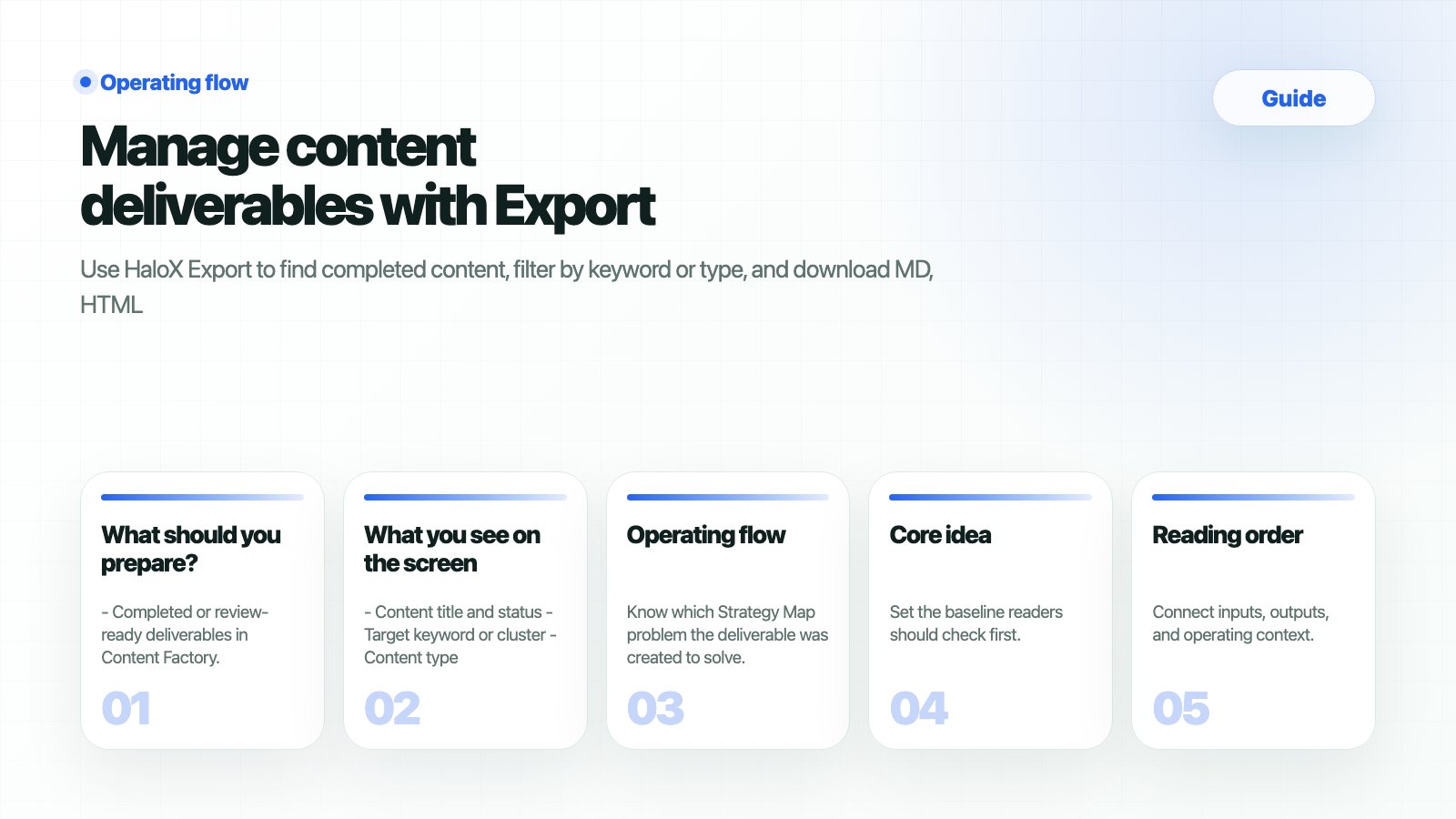 `Export` turns completed Content Factory work into files that can move through customer review, internal approval, publishing, and reporting. In GEO operations, delivery and traceability matter as much as content creation.
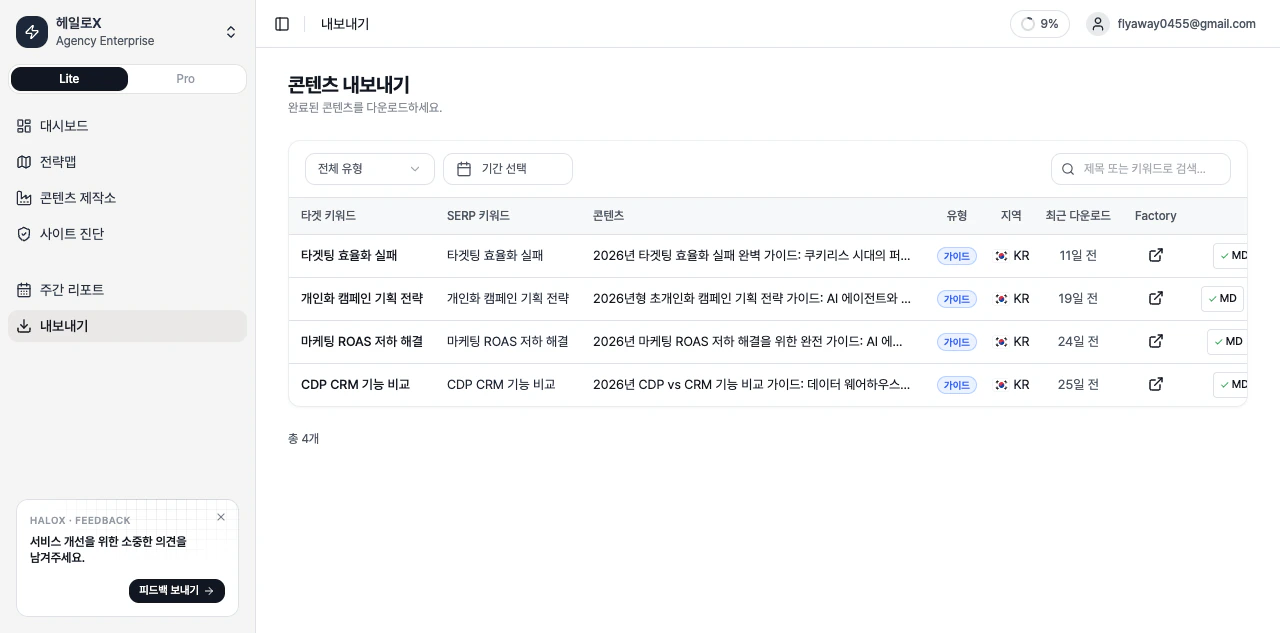 *HaloX Export content list*
## What should you prepare?
* Completed or review-ready deliverables in Content Factory.
* A clear audience: customer, internal marketing team, developer, PR team, or agency partner.
* A destination CMS or shared document location.
* A privacy check for internal notes, unapproved numbers, and sensitive meeting language.
## How do you verify the result?
| Check | Good state | Next action |
| --------------------- | -------------------------------------------------------------------------------- | --------------------------------------- |
| Deliverable selection | You can find the right content by keyword
*HaloX Export content list*
## What should you prepare?
* Completed or review-ready deliverables in Content Factory.
* A clear audience: customer, internal marketing team, developer, PR team, or agency partner.
* A destination CMS or shared document location.
* A privacy check for internal notes, unapproved numbers, and sensitive meeting language.
## How do you verify the result?
| Check | Good state | Next action |
| --------------------- | -------------------------------------------------------------------------------- | --------------------------------------- |
| Deliverable selection | You can find the right content by keyword
type
location
and state | Choose the output format. |
| Format choice | MD, HTML, or DOCX matches the workflow | Send for review or publish. |
| Review complete | Title
H2
FAQ
sources
and internal links are checked | Publish or request approval. |
| Reporting link | Original Strategy Map cluster is documented | Add execution status to Weekly Reports. |
## What commonly blocks teams?
| Problem | Cause | Fix |
| ------------------------------------ | ------------------------------------------ | ----------------------------------------------------------------- |
| Downloaded files have no destination | The purpose was not set | Separate customer review, CMS publishing, and internal approval. |
| Internal language reaches customers | Meeting notes were copied too directly | Convert to public questions and safe explanations. |
| Tracking stops after export | Strategy Map and reports are not connected | Record the source cluster and question set for every deliverable. |
| Format choice is unclear | Different workflows need different files | Use DOCX for review, MD/HTML for CMS or developer handoff. |
## What you see on the screen
* Content title and status
* Target keyword or cluster
* Content type and location
* Recent download state
* Export formats
* Metadata needed for customer or internal approval
## Operating flow
Know which Strategy Map problem the deliverable was created to solve.
Customer review, CMS publishing, developer handoff, PR review, and proposal attachment require different formats.
Remove customer names, internal numbers, private meeting language, or unapproved claims.
Use MD for CMS/development, HTML for web review, and DOCX for customer or internal approval.
Report it as an execution status tied to a cluster, not as a disconnected file download.
## Meeting-based examples
| Scenario | Export deliverable | Checkpoint |
| ------------------- | ------------------------------------------------------- | ---------------------------------------------------- |
| PR/agency proposal | One-page diagnosis, FAQ draft, official-message summary | Remove names and private proposal details. |
| B2B SEO recovery | Blog drafts by keyword cluster | Confirm title, meta direction, and internal links. |
| Local operations | Branch FAQ or local content | Confirm region, branch URL, and pre-visit questions. |
| Executive reporting | This week’s publishing candidates and expected impact | Summarize execution state before score movement. |
## Next docs
* Source content comes from [Content Factory](/en/features/content-factory).
* Priorities come from [Strategy Map](/en/features/strategy-map).
* Post-publication reporting happens in [Weekly Reports](/en/guides/reports).