
What is this feature?
Citation Tracking is the feature that shows which owned and external sources AI answers use as evidence. It is a decision point in the HaloXdiagnose → measure → prioritize → execute → report loop. Teams use it to read the current signal, split the cause, and decide the next content, source, technical, or reporting action.
HaloX app location
Citation tracking is read inside Pro mode Prompt Analysis. TheCitation Sources tab shows which domains repeatedly appear as AI answer sources, and the Citation Matrix tab compares citation strength by question type and domain.
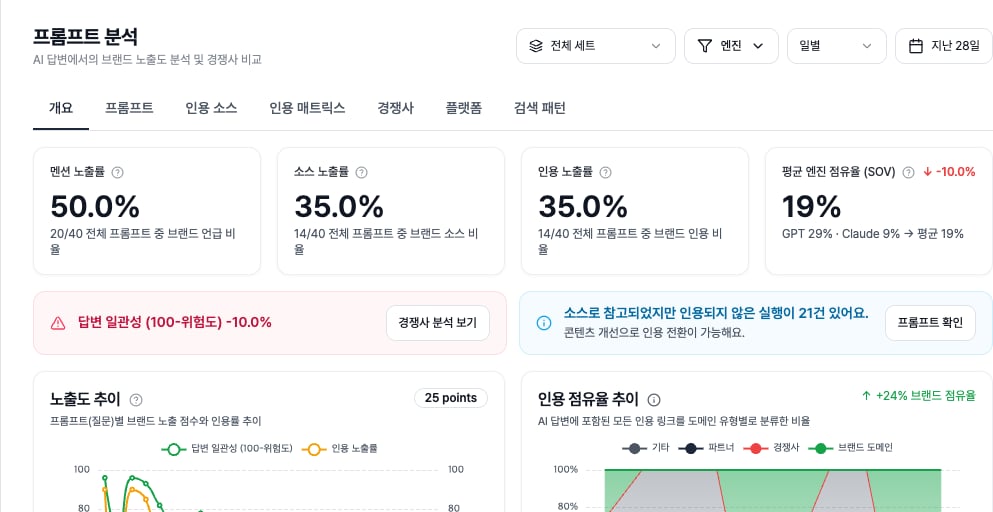
Citation Sources and Citation Matrix tabs, the source and citation KPIs, and the banner that separates source references from actual citations.
The Citation Sources tab turns repeated AI-answer domains into a table. Compare brand and competitor domains by citation share before deciding whether the next action is an official-page update, external evidence work, or content production.
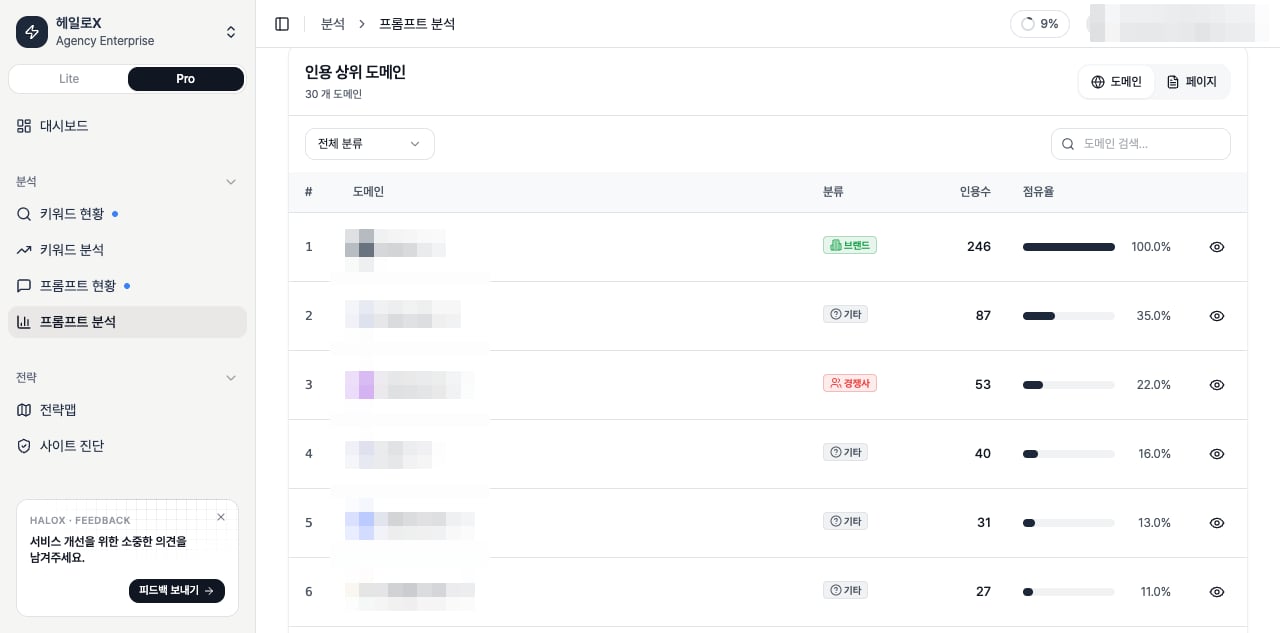
Top cited domains table
mention, source, and citation criteria plus count and share views to separate where owned sources are missing and where competitor sources are stronger.
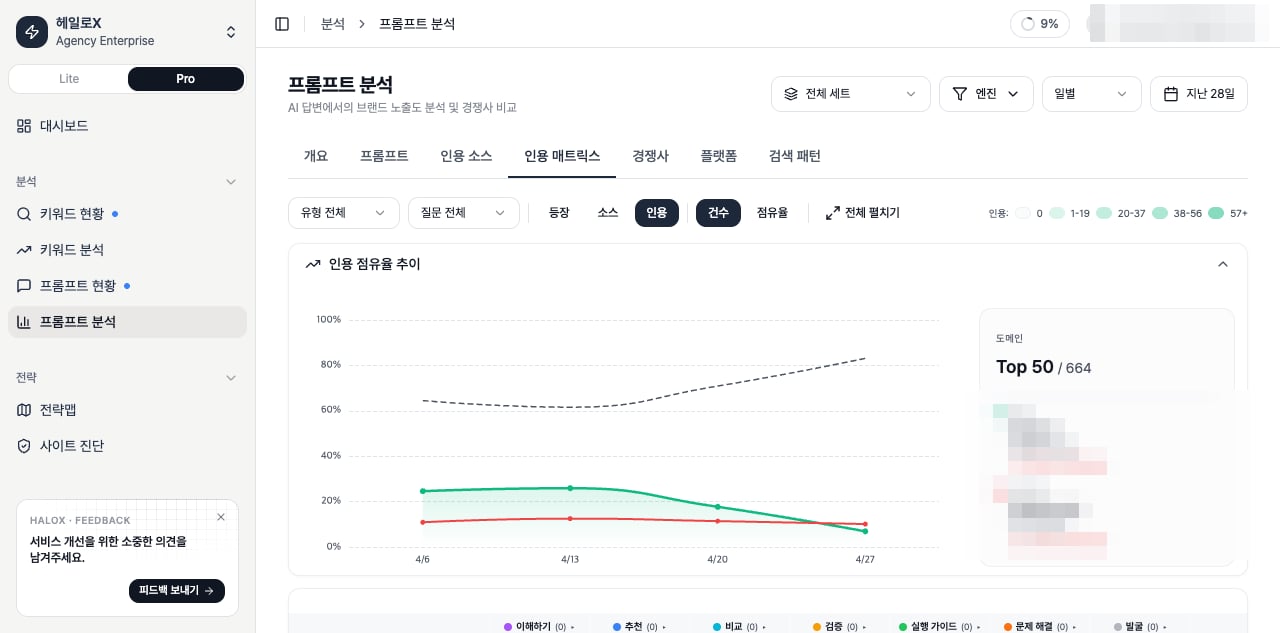
Citation Matrix tab
Inputs and outputs
What should you look at first?
1
1. Summarize the state in one sentence
Replace “the score is low” with a cause-based sentence such as “official citations are weak for non-branded comparison prompts.”
2
2. Split the cause into four work types
Move technical blockers to Site Audit. Send question gaps to Prompt Analysis, source gaps to Citation Tracking, and content gaps to Content Factory.
3
3. Choose one next action
Turn the signal into one next action: a cluster update, page edit, FAQ, source task or weekly report note.
Main cards, tabs, or metrics
Practical use cases
How to explain it in meetings
“This feature shows how far the brand travels inside AI search answers and what content, source, or technical action should happen next.” Avoid customer names, real URLs, and internal KPIs in public documentation.FAQ
Does this feature complete the decision by itself?
No. HaloX features are connected. A signal in Citation Tracking should move into Site Audit, Strategy Map, Content Factory, Citation Tracking, or weekly reporting.Do scores map directly to business results?
Most GEO metrics are leading indicators. Mentions and citations usually move first; traffic, branded search and conversion prompts are checked later.Related guides and concepts
Quickstart
Start the first 30-minute workflow.
Reading scores
Translate metrics into meeting language.
GEO glossary
Understand GEO, AVI, citation rate, and source visibility.
Reports
Turn movement into reporting language.
Difference between Source and Citation
Citation Sources KPI definitions
How to read the Citation Matrix
If you need the service metric definitions
Terms such asrank, search volume, trend, AI, PAA, Citation Rate, Share of Voice, and gap type are explained in the screen metrics glossary. Use it when a KPI on this page needs a plain-language definition and a link back to the screen where it appears.